Inspections
Cleaning inspection software. A clear record of every check.
Set the checklist, inspect on the phone and give your client the scored result. Photos, notes and signatures stay with the inspection, with a path to fix what failed.
- Photo evidence
- Configurable scoring
- Flexible sign-off
The work
Supervisors inspect the same areas every week and get asked to prove it every month. Cleaning inspection software keeps the checks, the photos, the score and the signatures in one record. It turns a failed check into work someone owns.
01 · Checklist
Build the checklist.
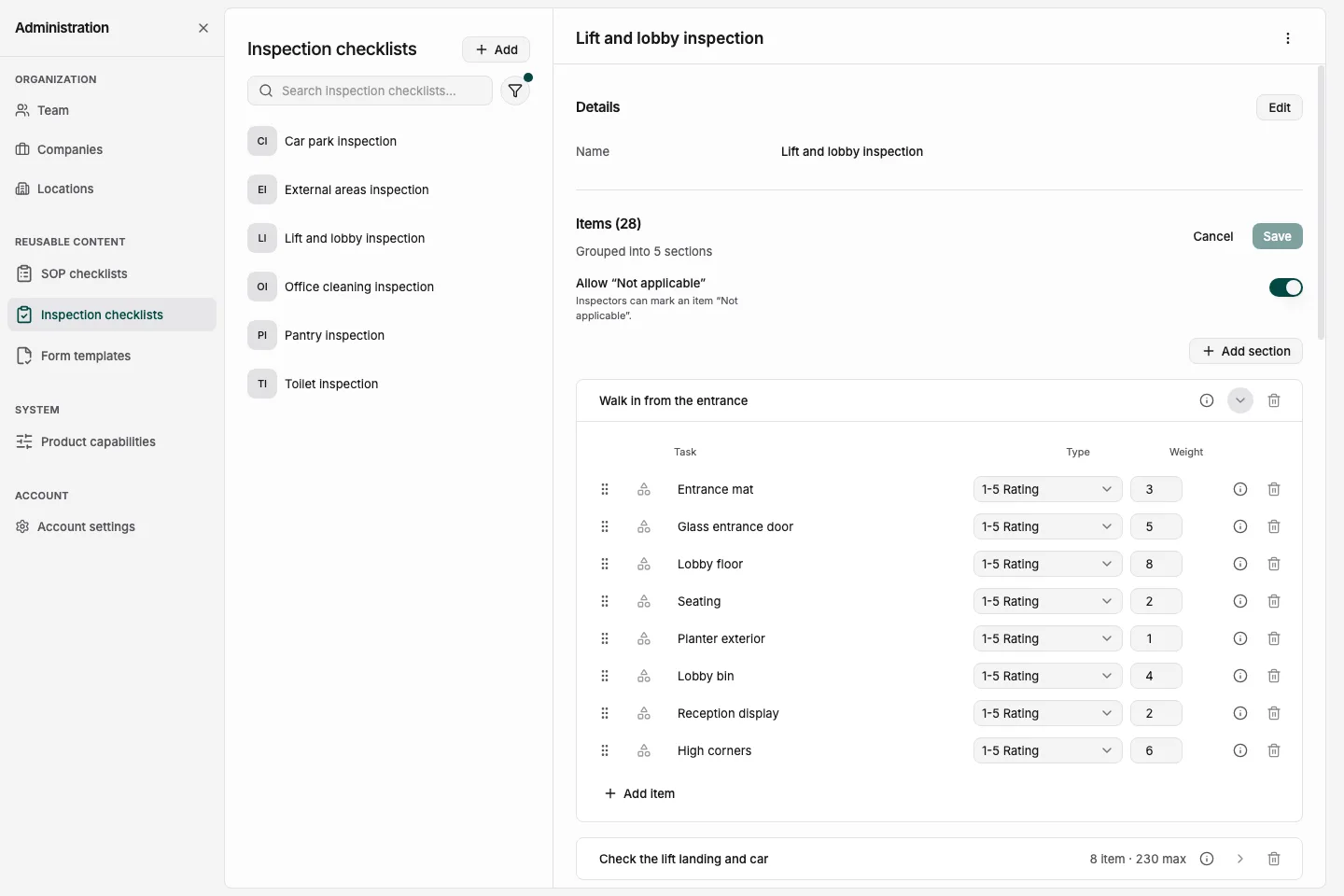
Agree what a pass looks like before the first walk. Give the inspector clear checks and the evidence rules for the checklist.
- Your structure
- Use a single list for a short walk, or group checks into multiple sections for a larger area.
- Evidence rules
- Set the checklist's photo rule to not needed, optional or required. Do the same for notes, and decide whether the inspector can mark an item N/A.
- Item weighting
- Weight each inspection item from 1 to 10, or keep every item equal where your method asks for it.
02 · On site
Run it on the phone.
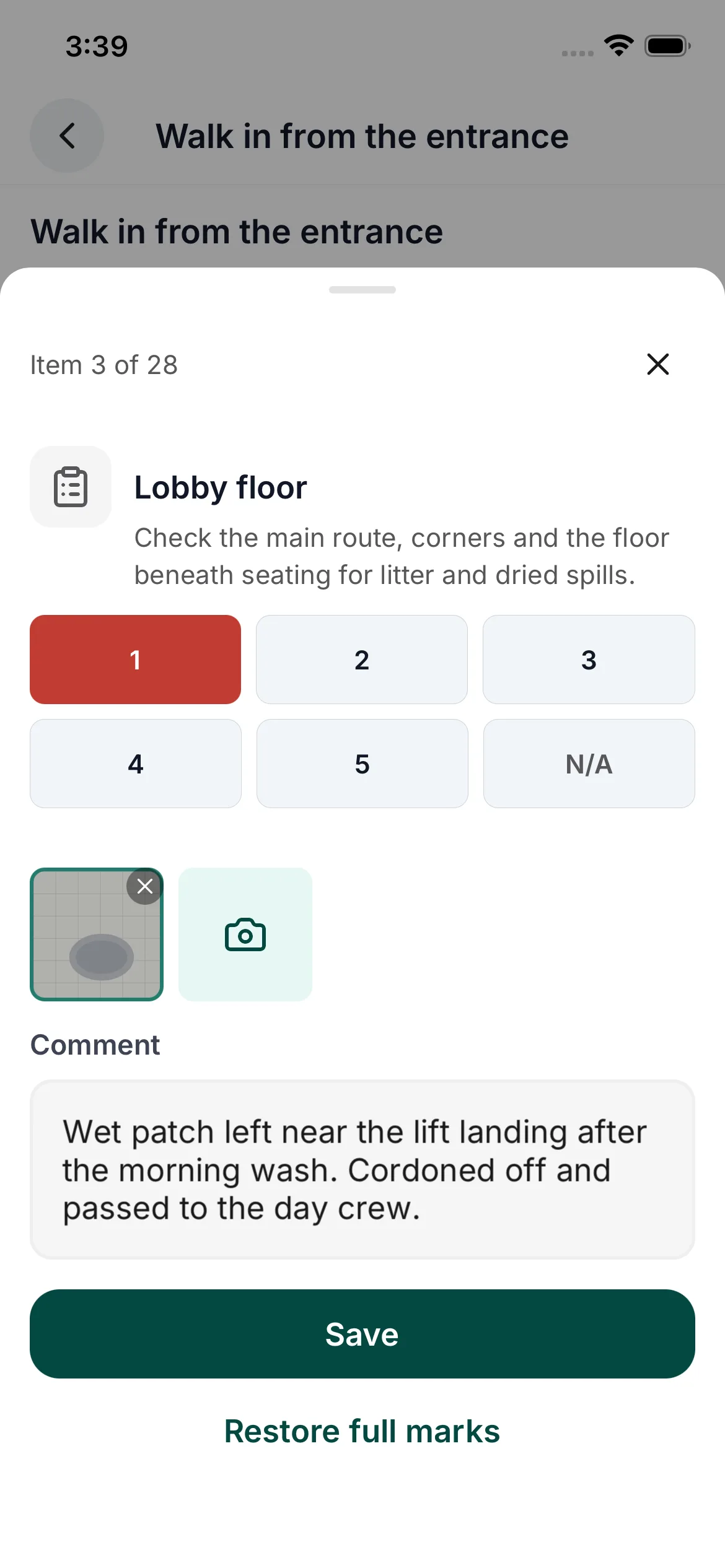
Walk the area with the checklist on your phone. Keep each photo and note beside the item it explains.
- Mark all passing
- Set every item to full marks, then change the ones that failed. Look at each check on the walk and add the evidence your checklist asks for.
- Record the condition
- Photograph the failed check and write what needs attention. The next person can see what you found.
03 · Results
Score the inspection.
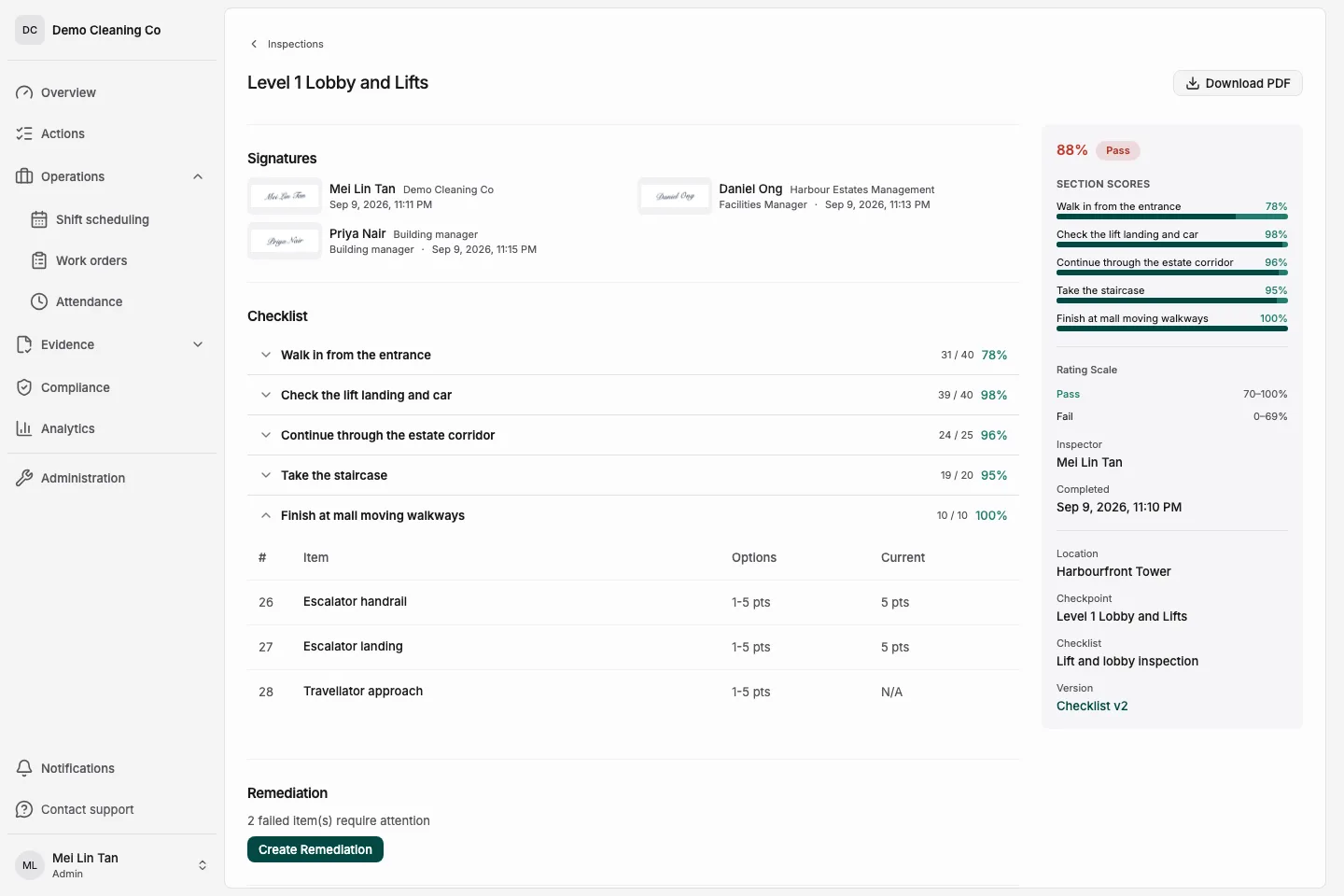
Use a percentage with an agreed passing minimum, or keep a raw score. Rating tiers such as Fail and Pass make the result clear.
- Applicable items only
- Items marked N/A are excluded from the score. An item that does not apply should not count against the inspection.
- Your score options
- Use Pass and Fail, or set custom options with non-negative values. For example, Good pass 2, Pass 1 and Fail 0.
04 · Signatures
Sign it off.
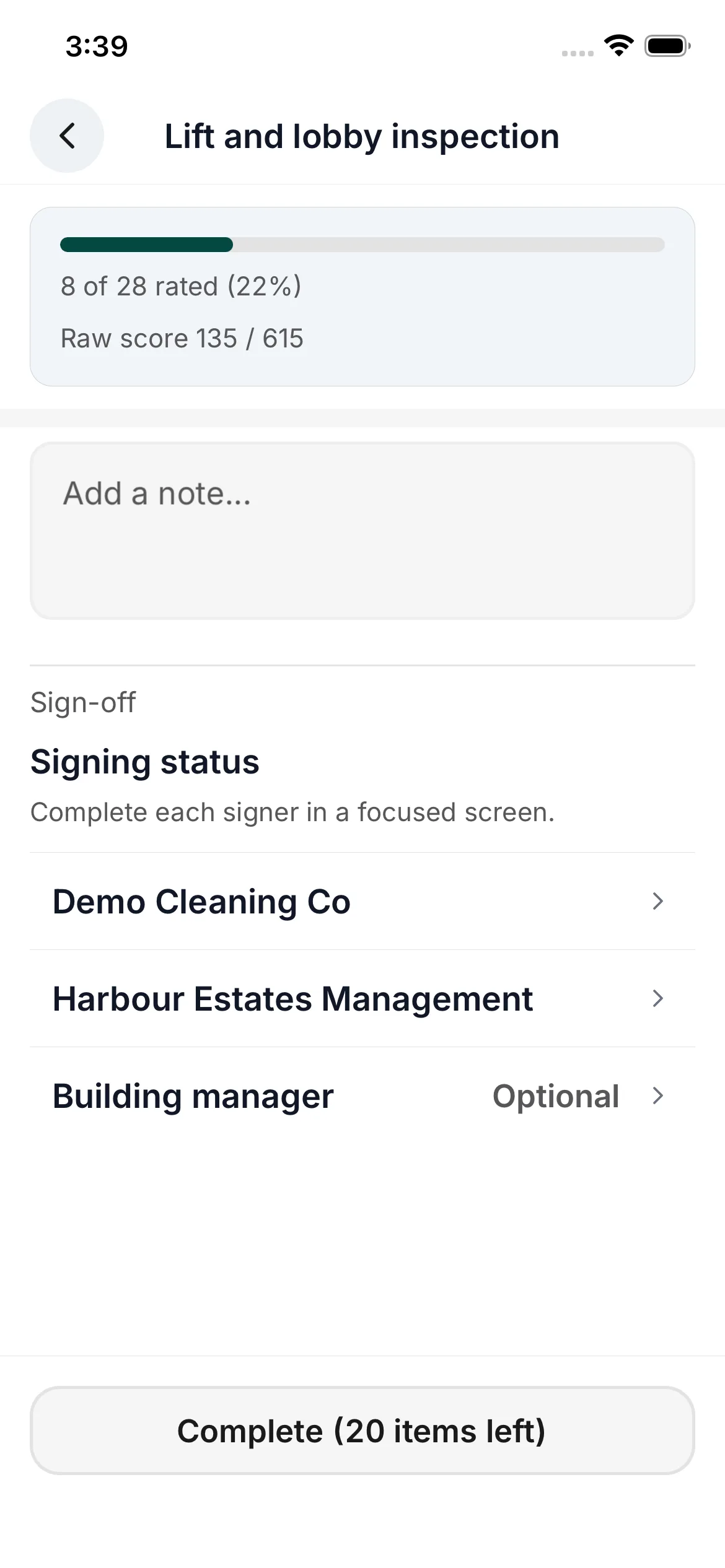
Agree who signs before the inspection starts. Keep their signatures with the result they reviewed.
- Up to three signers
- Configure the inspector, a co-signer and a third signer as needed. Enabled co-signers and third signers can sign independently once the inspection is complete.
- Optional review
- Add a review step before the inspection record is final.
05 · Follow through
Fix what failed.
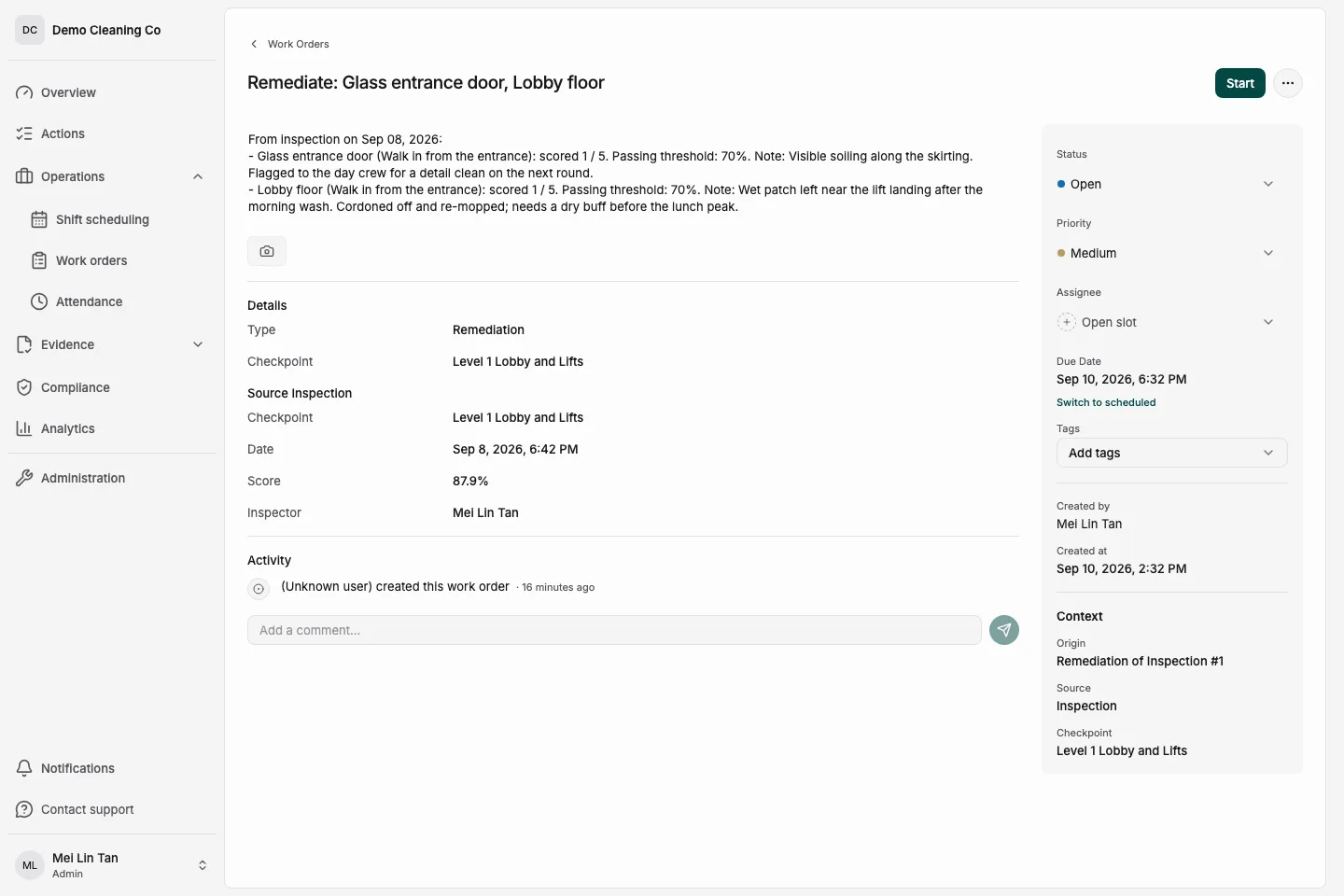
A failed check needs a next step. Create a remediation work order carrying the failed inspection items so the team knows what to put right.
- Remediation
- Keep the work order connected to the inspection that raised it, with the failed items on the job.
- Reinspection
- Inspect again after the work is done. The reinspection references the original, so both records stay connected.
06 · Client evidence
Report it to the client.
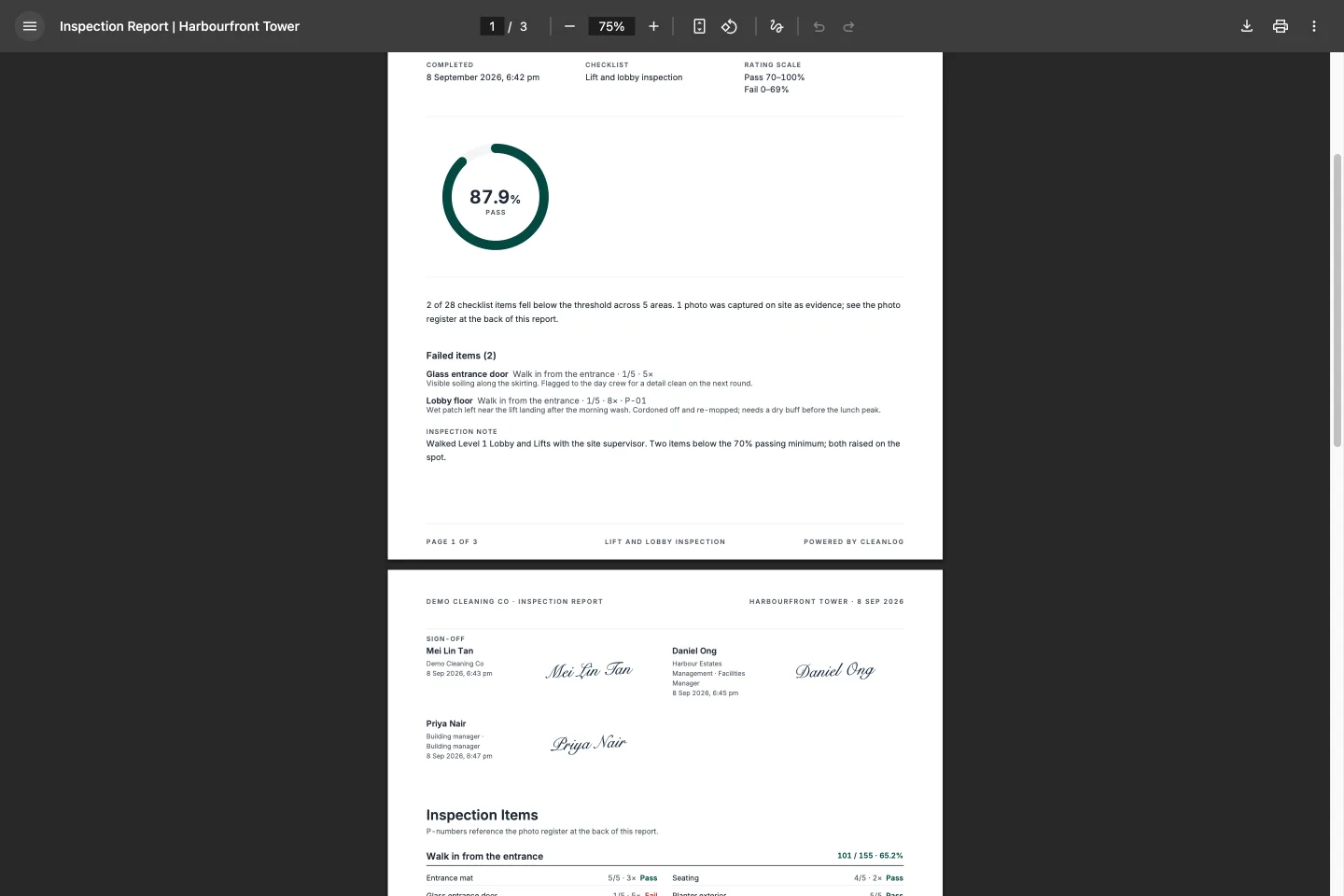
Give the client a record they can read. Keep the inspection result and its signatures in the inspection PDF, then review the month through weighted report sections.
- Inspection PDF
- Show the date and time completed, the signatures, the rating scale and the tier the inspection earned.
- Monthly report
- Use weighted sections in the monthly compliance report to bring inspection results into the contract scorecard.
Read inspection reports and client evidence See outcome-based cleaning compliance
Checklist library
Start with the area you inspect. Read the checks online or download an editable CSV.
- When a checklist is enough
- Use an editable checklist to agree the areas and pass criteria. Record your inspection findings in the worksheet.
- When to use inspection software
- Use software to keep photos, notes, scores and signatures together. CleanLog connects remediation and reinspection to the original inspection, so you can follow up on failed checks.
Car park cleaning inspection checklist
Inspect parking lanes, loading bays and estate vehicle access fittings.
External areas inspection checklist
Follow outdoor paths to estate facilities, drainage, waste points and roof access.
Lift and lobby inspection checklist
Follow the route from the entrance to lift cars, estate corridors and stairs.
Office cleaning inspection checklist
Check desk areas, management office fittings and meeting rooms after the agreed clean.
Pantry inspection checklist
Check preparation surfaces, shared appliances, sinks and breakout seating between service periods.
Toilet inspection checklist
Check basins, cubicles, consumables and floor drains on one washroom walk.
Browse the inspection checklist library Monthly cleaning audit checklist and scorecard
Questions
Questions about cleaning inspections
What is cleaning inspection software?
How is an inspection scored?
Who signs an inspection?
What happens to a failed check?
Bring one checklist. Walk through it with us.
Book a demo. We load your checklist into your account when you onboard.