Visitor feedback and issue reporting via QR
Visitors scan a QR code to rate cleanliness or report an issue. CleanLog captures ratings, comments, and photos, all timestamped. Visitors report issues. Cleaners close them. Managers export proof.
YOU'RE RATING
Lobby AM
LAST CLEANED
Tue, Dec 2 · 9:23 AM
Need immediate help?
Use the "Report issue" tab to notify the team.
Your feedback helps the team keep this location clean.
Rating
REQUIREDComment
OPTIONALScattered complaints vs real-time QR reporting
What changes when feedback and issues are captured at the restroom
Old way
-
Complaints arrive late via front desk, WhatsApp, or email
-
No context - hard to verify what happened
-
Issues get lost across channels
-
No trend visibility across locations
-
Difficult to prove improvements to clients
CleanLog
-
Visitors submit feedback or issues immediately at the restroom
-
Comments and photos provide evidence
-
Feedback and issues in one place per restroom
-
Track ratings and issue types by restroom, site, and time
-
Export evidence-backed trends and resolution times
How it works
One QR code for feedback and issue reporting
Place the QR
Print and display one code per restroom.
Rate or report
Visitors tap a rating or toggle to report an issue.
Add context
Optional comments and photos describe what needs attention.
Teams respond
See feedback and issues in the dashboard and follow up.
Track trends
Spot patterns by restroom, time of day, or site.
Get started in 3 steps
Enable feedback and issue reporting immediately
-
1
Enable visitor feedback for your site or restroom.
-
2
Print and place the QR code near the entrance.
-
3
Review feedback and issues in the dashboard.
What it looks like
Simple for visitors. Actionable for managers.
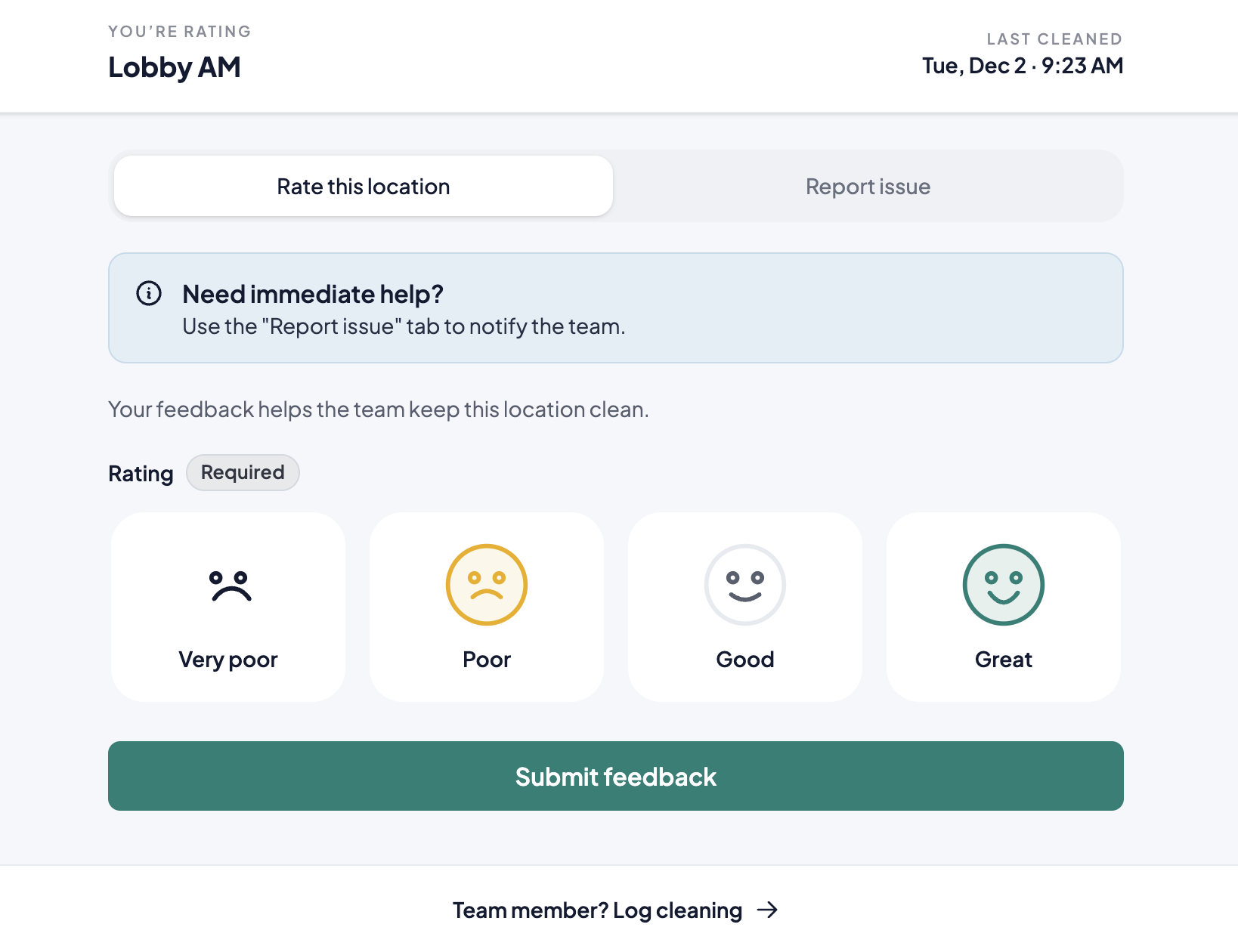
Mobile feedback form
Visitors scan the restroom QR, tap a rating, and submit. Toggle to issue mode to report problems like no soap, wet floors, or broken fixtures.
-
Works on any smartphone browser
-
Toggle between rating and issue mode
-
Optional comment for context
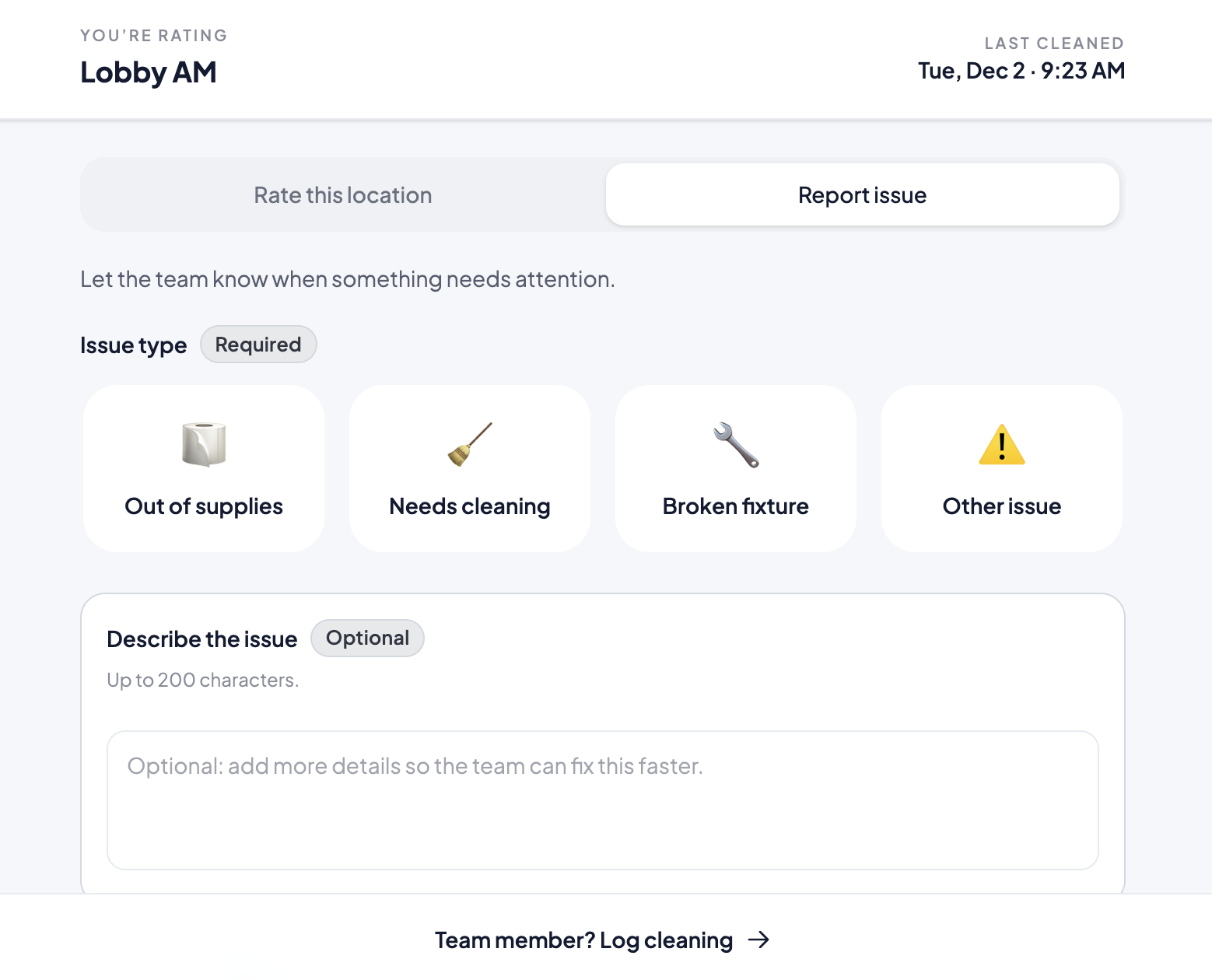
Issue reporting mode
When visitors spot a problem, they toggle to issue mode. Select an issue type, add a photo, and submit. The issue appears in the dashboard and triggers an email alert.
-
Pre-set issue types (no soap, wet floor, etc.)
-
Automated email alerts to your team
-
Photo proof attached to each report
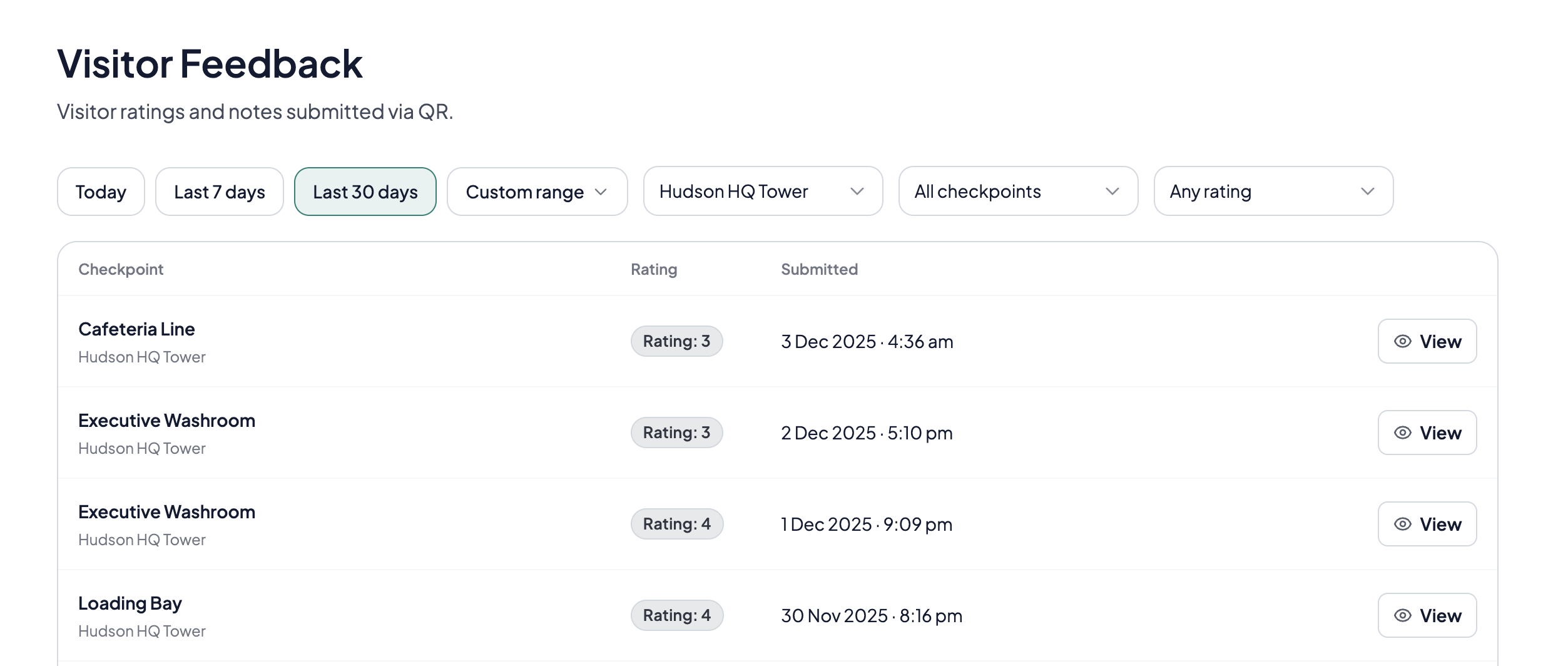
Dashboard for managers
See ratings, comments, and issues in one place. Filter by site or restroom to find patterns and prioritise fixes.
-
Filter by site, restroom, or date
-
See feedback and issues per restroom
-
Export trends for client reviews
From report to resolution
Cleaning teams see and resolve issues when they scan the QR
Automated email alerts
Get notified instantly when visitors report issues. Configure recipients per site.
Unified history
Feedback and issues in one timeline per restroom.
Resolve on scan
Cleaners see open issues and mark them resolved during their round.
Proof of improvement
Show clients how scores and resolution times change.
Who benefits from visitor-submitted feedback
Teams who want to hear issues before they escalate to complaints.
High-traffic venues
Airports, malls, and stadiums that need to catch problems during the day, not after closing.
Member-focused facilities
Gyms and coworking spaces where members can report supply shortages before they leave frustrated.
Client-facing contractors
Show clients you respond to feedback. Share trends and resolution times in reviews.
Venues with SLA pressure
Respond to issues faster. Track patterns by restroom, shift, or site.
Teams managing multiple restrooms
Prioritize which restrooms need attention based on real visitor input.
Residential and condo buildings
Give residents a direct channel. Show the committee you're listening.
Hear from visitors before complaints escalate
Capture ratings and issues at the restroom, not days later via email or front desk.
- No credit card required
- Setup in under a day
- Works on any phone
Common questions
Quick answers about visitor feedback and issue reporting
What is a restroom visitor feedback system?
A restroom visitor feedback system lets visitors rate cleanliness and report issues by scanning a QR code. Feedback is captured in real time so facility teams can respond quickly and track trends across locations.
What's the difference between feedback and issue reporting?
Feedback captures a cleanliness rating with optional comment. Issue reporting captures a specific problem (no soap, wet floor, etc.) with optional photo. Both use the same QR code.
Do visitors need to install an app?
No. Visitors scan the QR code and submit in their browser. Works on any modern iPhone or Android.
What issue types can visitors report?
Common types include no soap, no paper, wet floor, bad smell, and broken fixture. You can customise issue types for your deployment.
Can we collect photos with issues?
Yes. Photos are optional but help confirm problems like wet floors, empty dispensers, or damaged fittings.
How are feedback and issues organised?
Visitor feedback and issue reports share a unified history per restroom. Teams can see what was reported, when, and the current status.
Can we share feedback trends with clients?
Yes. Export ratings, issue counts, and resolution times by site or date range. Use them in client reviews, renewals, or internal audits.
Is feedback anonymous?
Yes. Visitors do not need to log in or provide personal details. Feedback is linked to the restroom, not to individuals.
How quickly do teams see new feedback or issues?
Immediately. Entries appear in the dashboard as soon as they're submitted. You can also configure automated email alerts to notify supervisors when issues are reported.