Digital cleaning logs with QR codes and photo proof
Staff scan a QR code to log each clean with timestamps, checklists, and photo proof. Every entry is tied to their identity and exportable for client reviews and audits.
Checkpoint
Men's - L2
Current time
Mon, Dec 9 · 9:15 AM
Tasks
RequiredPhoto proof
OptionalPaper logs vs CleanLog
Why teams are replacing clipboards with QR codes
Paper log
Manual tracking
-
Illegible handwriting, missing entries, incomplete records
-
Back-filled hours later; easy to fake
-
No photos - just handwritten notes
-
Collect paper sheets weekly; issues found too late
-
Sheets get lost, damaged, or thrown away
-
Anyone can tick boxes; hard to verify who did what
CleanLog
Smart digital logging
-
Structured data with required fields - no gaps, no guessing
-
Automatic timestamp the moment staff scan the QR
-
Photo proof per log entry (optional or required)
-
Live dashboard - see cleaning activity as it happens
-
One-click export with timestamps, photos, and staff identity
-
Every entry tied to a staff account
How it works
From QR scan to exportable proof in under 60 seconds
Print & place QR codes
Generate a unique QR for each restroom. Print and place near the entrance.
Staff scan to log
Cleaners scan with any smartphone. No app install required.
Complete the checklist
Tap through tasks, add notes, and attach a photo when needed.
Track activity live
See who cleaned what, when, and where in real time.
Export reports
Generate standardized reports with timestamps, staff identity, and photos.
Get started in 4 simple steps
No IT project. No training. Just scan and start.
-
1
Add your locations in the dashboard.
-
2
Customize checklists or use our templates.
-
3
Print QR codes and place them on-site.
-
4
Show your team once. They'll get it in 30 seconds.
What it looks like
Mobile check-in for cleaners. Live logs for supervisors. Exportable reports for clients.
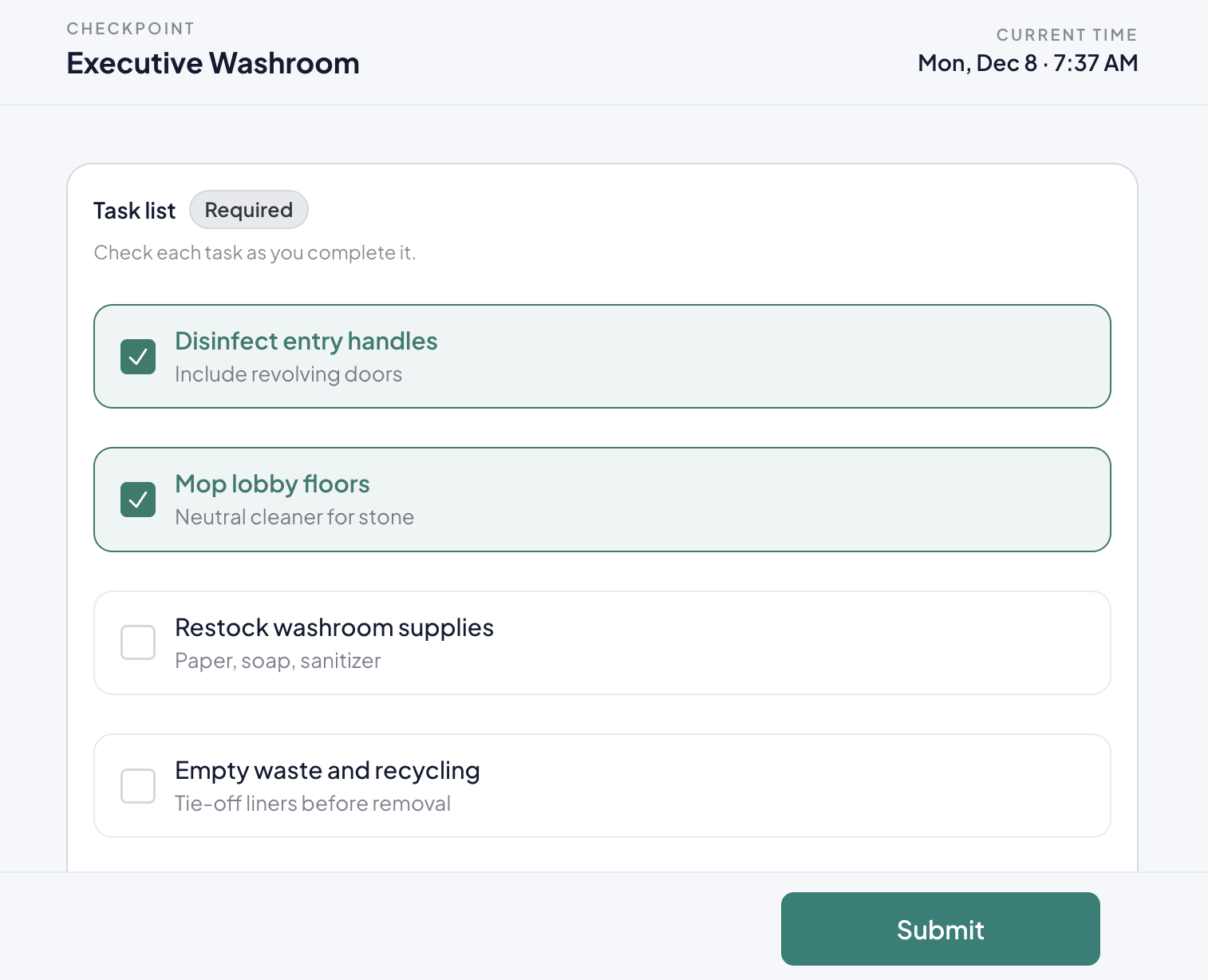
Mobile check-in for cleaners
Cleaners scan a QR code, see their task list, and submit. All in the browser, no app install required.
-
Works on any smartphone browser
-
Custom checklists per location
-
Optional photo proof
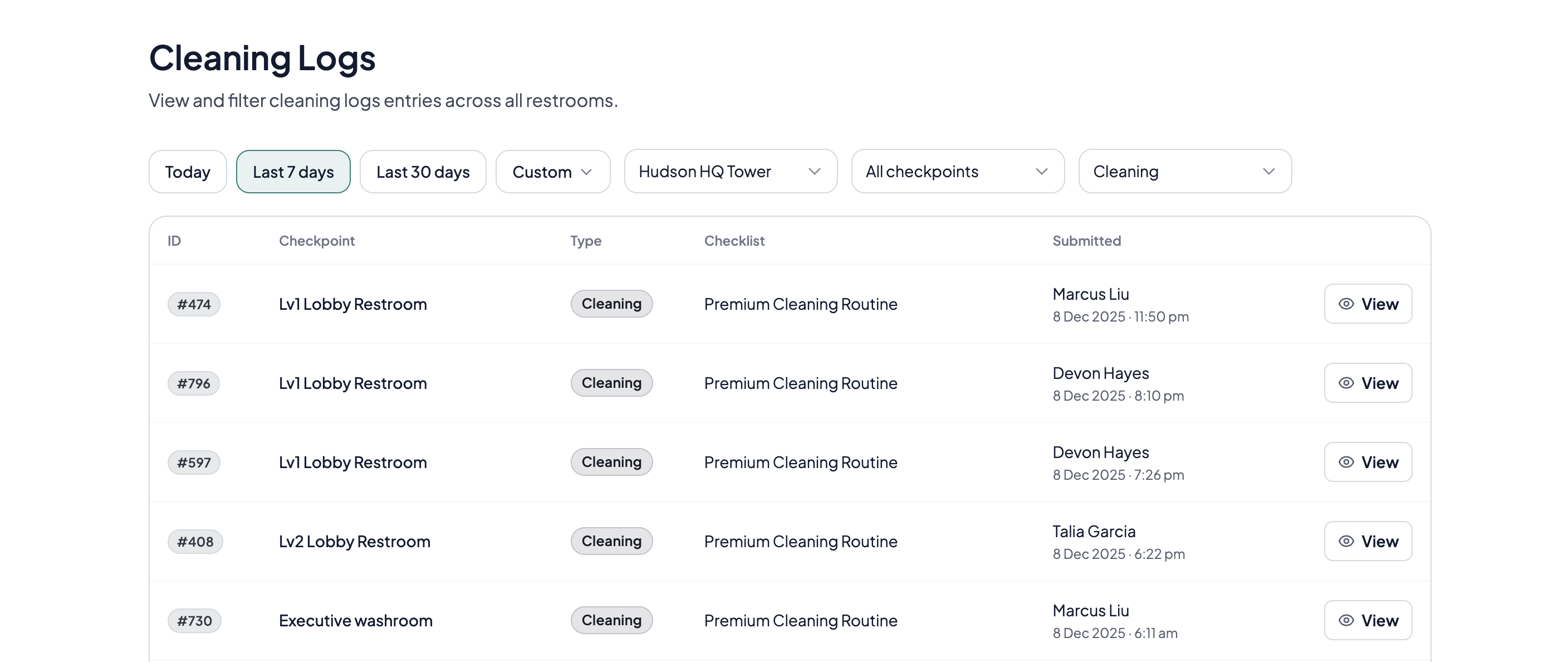
Timestamped, searchable log history
Filter by site, restroom, or date range. Click any row for details including staff identity, tasks completed, and photos.
-
Filter by site, restroom, or staff
-
Full audit trail with timestamps
-
Exportable history
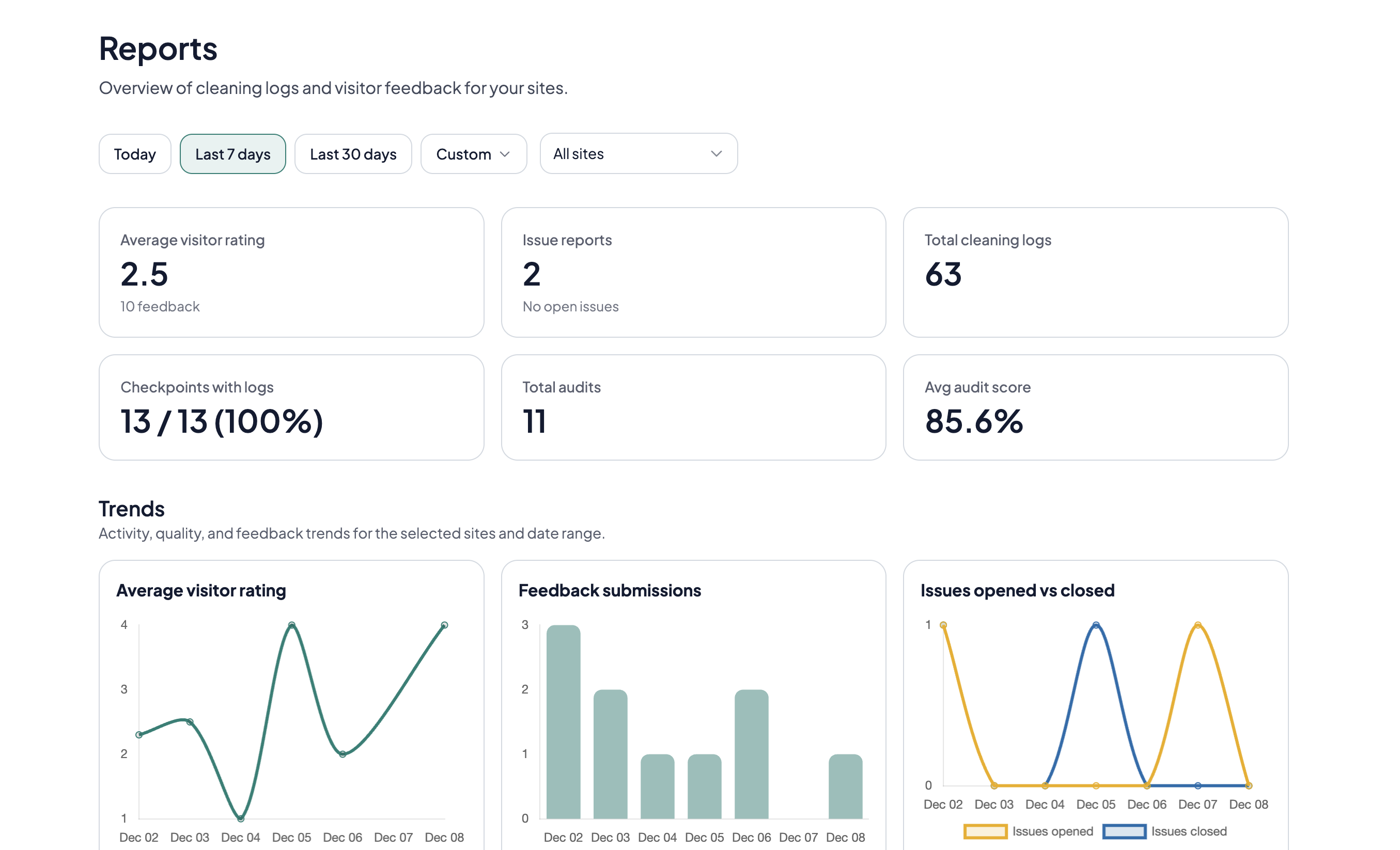
Reports ready for client reviews
Generate consistent reports across sites. Use them for SLA reviews, renewals, inspections, or internal audits.
-
Consistent formats across sites
-
Evidence-backed timelines
-
Portfolio comparisons
Who needs timestamped cleaning proof
Teams who must prove cleaning happened for clients, tenants, or compliance.
Cleaning contractors
Defend your work when clients dispute. Pull timestamped logs with photos in seconds for renewals and reviews.
Multi-site facilities teams
Track cleaning across 20+ restrooms. Consistent logs across sites, ready for internal audits.
Property managers
Share proof with tenants and stakeholders. Export reports without chasing paper sheets.
Contract supervisors
Verify staff completed tasks on schedule. Spot gaps before clients do.
Compliance-driven venues
Schools, healthcare, and food service venues that maintain auditable history for inspections.
Building management committees
Show residents cleaning frequency and respond to queries with evidence.
Reporting and client access
Export standardized reports or give stakeholders read-only access.
One-click export
Generate a report with timestamps, staff identity, tasks completed, and photos.
Observer access
Give clients or auditors read-only access to logs without admin privileges.
Consistent format
Same report structure across sites. Scale without custom templates.
Filter by date or location
Pull logs for specific time periods, sites, or restrooms. Prepare for reviews in minutes.
Ready to replace the paper logbook?
Prove cleaning happened. Simplify reporting. Start in minutes.
- No credit card required
- Setup in under a day
- Works on any phone
Common questions
What you need to know about digital cleaning logs
What is a digital cleaning log?
A digital cleaning log is an electronic record of who cleaned, when, where, and what was done. It replaces paper logbooks with timestamps, staff identity, and optional photo proof, making it easier to search, share, and audit.
Do cleaners need to download an app?
No. Cleaners scan the QR code and log in from their phone browser. Works on iPhone and Android without an app store install.
How do you prevent fake or back-dated entries?
Each log is timestamped on submission and tied to a staff identity. You can also require photos for specific restrooms to increase accountability.
Can we attach photos to each entry?
Yes. Photos can be attached to any log entry. You can also require photos for specific restrooms or checklists.
Can we export logs for clients or auditors?
Yes. Export reports with timestamps, staff identity, completed tasks, and photos. Filter by date, site, or restroom.
What if there's no internet at the restroom?
Staff need a connection to submit logs. Confirm coverage during the pilot. Offline mode is on our roadmap.
How many restrooms can we track?
No hard limit. Plans cover up to 200 checkpoints; larger portfolios use Custom pricing. See our pricing page.
What's the difference between a log and a checklist?
A checklist lists tasks to complete. A log records when cleaning happened and who did it. CleanLog combines both: staff complete the checklist, and the system logs everything automatically.
Can different restrooms have different checklists?
Yes. Assign different checklists per restroom or site. Standardize across locations or tailor by client requirements.
How much does CleanLog cost?
Pricing is per restroom with simple tiers. See our pricing page for current rates.
Is CleanLog compliant with data protection regulations?
Yes. Data is encrypted in transit and at rest, and access is controlled by role-based permissions.
Can I use CleanLog for audits and health inspections?
Yes. CleanLog includes an audit log feature where auditors can record compliance checks from the same QR code. See our Cleaning Inspections & Audits page.