Verify cleaning quality with QR-based inspections
Clients and facility managers run inspections from the same QR code used for cleaning logs. Capture pass/fail checks with photo proof. Use results for contract reviews, renewals, and performance tracking.
Inspecting
Men's - L2
Inspector
Sarah M.
Inspection checklist
Notes
OptionalPaper audits vs CleanLog
Replace clipboards with verifiable, photo-backed inspections
Paper inspection sheet
Hard to verify
-
Sheets get lost, damaged, or back-filled.
-
Tick boxes without evidence.
-
Disputes over what was inspected and when.
-
Slow to compile for contract reviews.
-
Inconsistent standards across inspectors.
CleanLog inspections
Evidence-backed
-
Timestamped, stored centrally.
-
Photo proof documents each check.
-
Inspector identity and time recorded automatically.
-
Filter and export for renewals or penalties.
-
Standardized criteria across all locations.
How it works
Clients or managers verify cleaning in under 60 seconds
Scan the restroom QR
Same code used for cleaning logs.
Run pass/fail checks
Answer inspection items with notes.
Capture photo proof
Document issues or confirm compliance.
Log the inspection
Timestamped with inspector identity.
Use for contract reviews
Export reports for renewals or disputes.
What it looks like
Inspect. Document. Export for contract reviews.
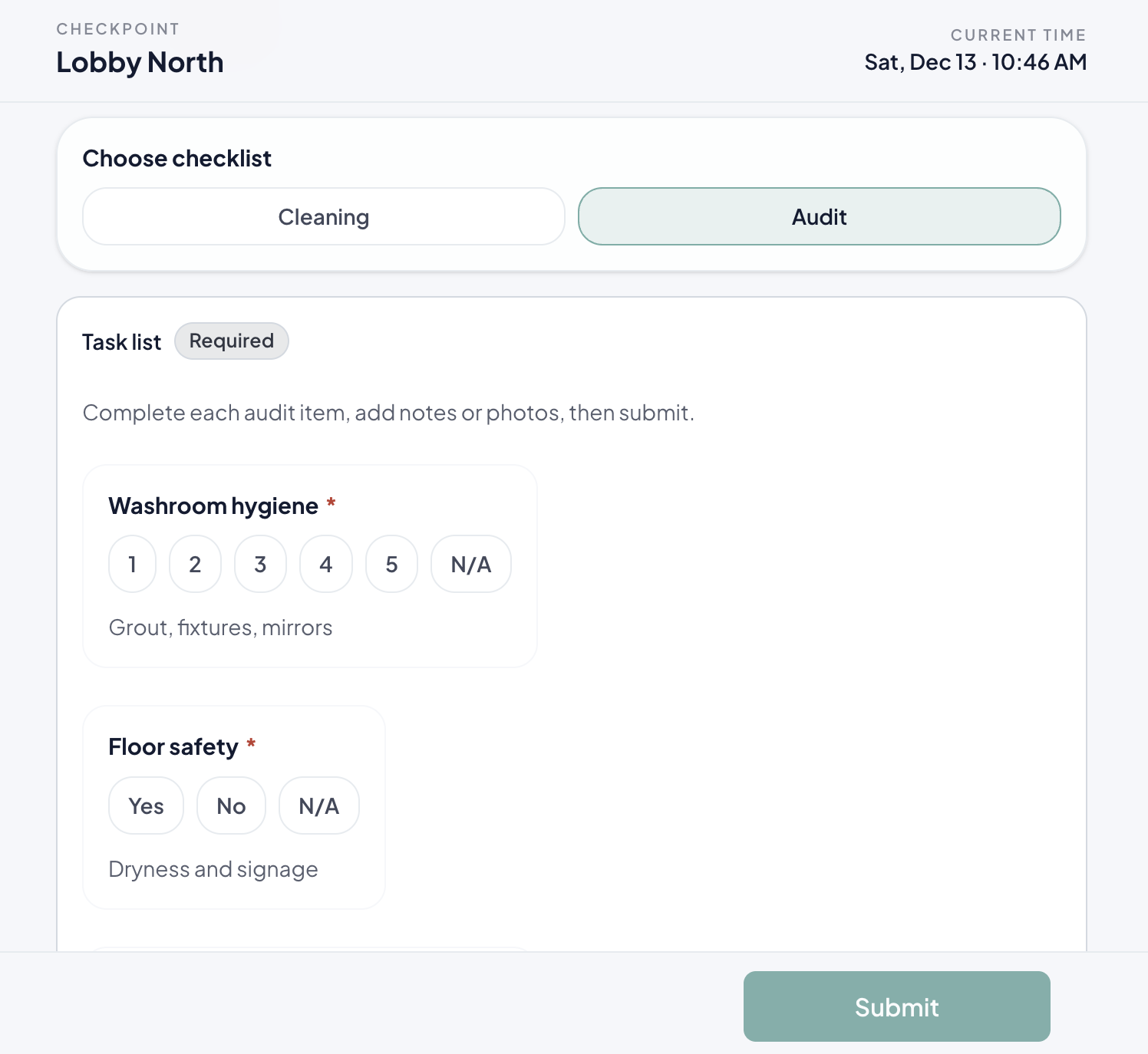
Run inspections from any device
Clients or facility managers scan the QR, run pass/fail checks, and attach photos. All from a phone browser.
-
Pass/fail checks with notes
-
Photo proof for each item
-
Works on any smartphone
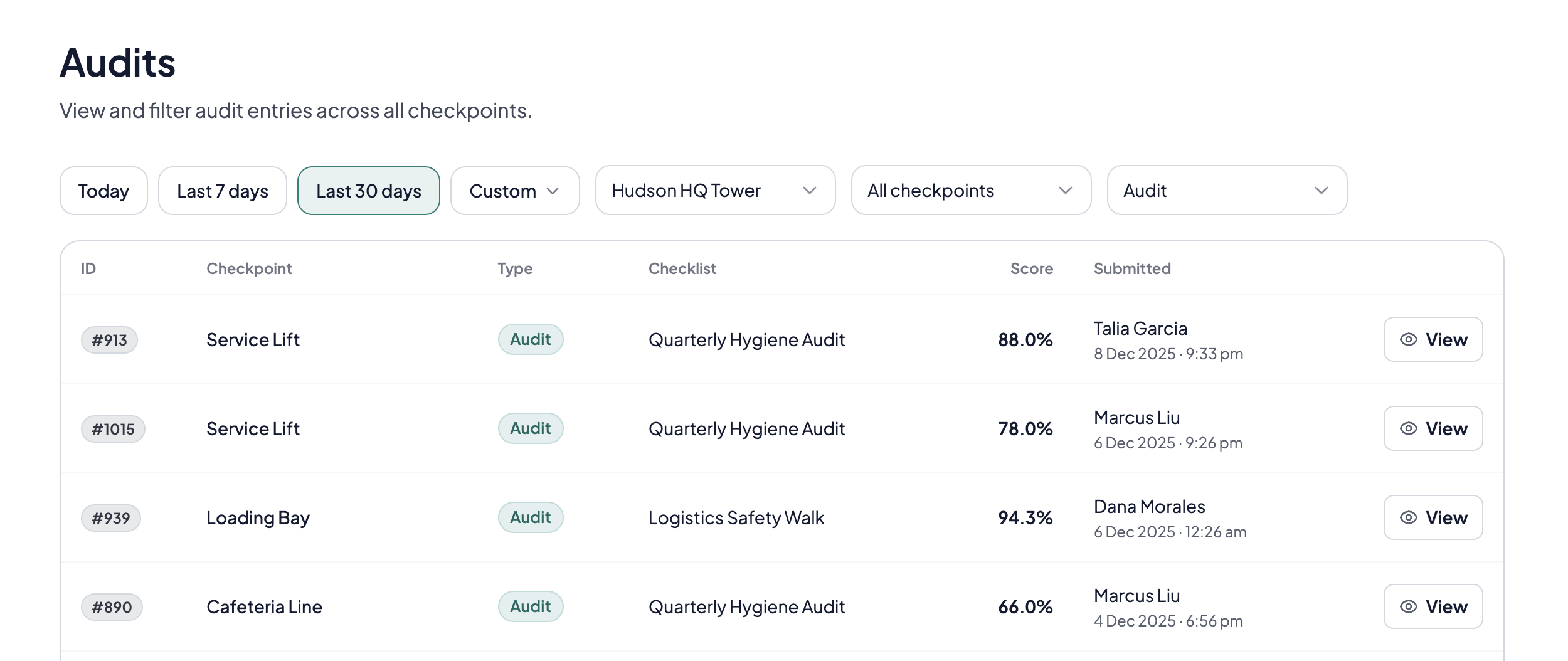
Full audit trail per checkpoint
See all inspections by site, checkpoint, and date. Review scores, issues flagged, and photos attached.
-
Filter by site or date range
-
Track inspection scores over time
-
Evidence attached to each entry
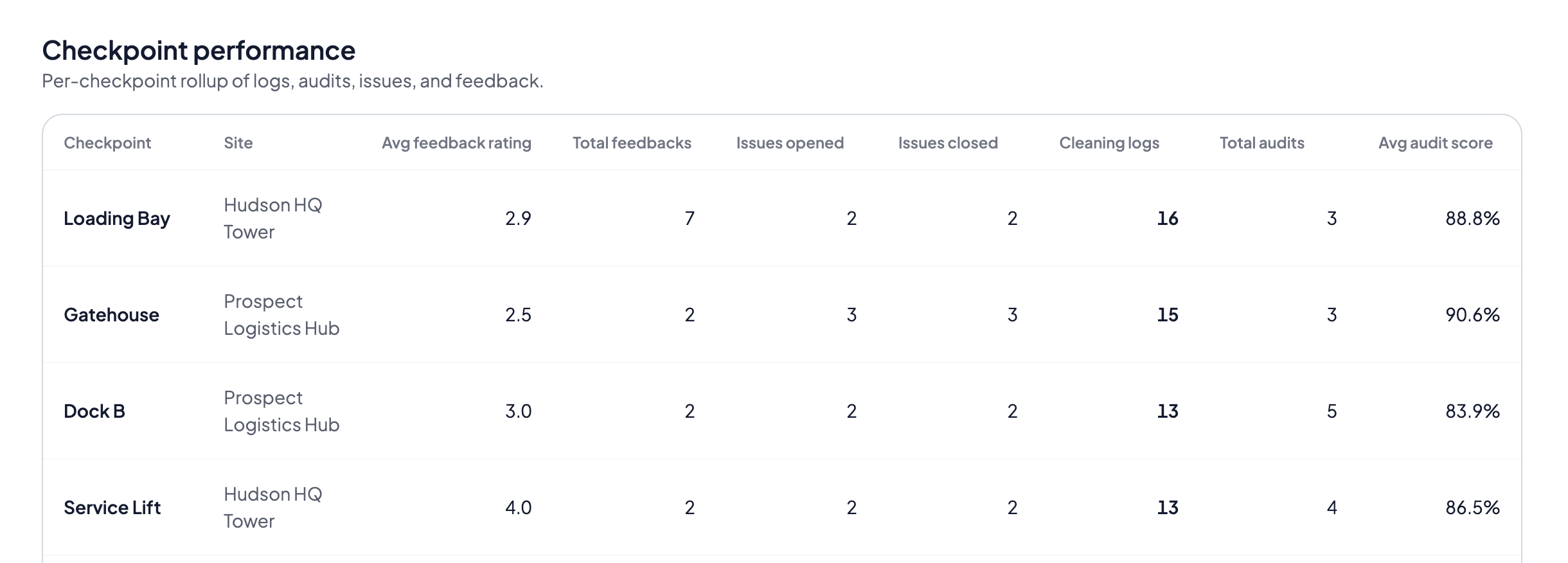
Checkpoint summary at a glance
See cleaning and inspection activity across all checkpoints. Identify gaps and prioritize follow-ups.
-
Activity overview per checkpoint
-
Spot gaps quickly
-
Ready for reviews
Who uses cleaning inspections
Clients verify contractor work. Contractors stay prepared for audits.
Facility managers inspecting contractors
Run spot checks across sites. Document issues with photos. Use results in contract reviews or penalty discussions.
Property managers at malls and offices
Hold cleaning contractors accountable. Share inspection scores with tenants or stakeholders.
Management committees at condos
Verify contractor performance on behalf of residents. Evidence for contract renewal decisions.
Cleaning contractors preparing for audits
Know what clients will check. Run self-inspections to catch issues before clients do.
Contract managers at schools and healthcare
Audit cleaning against SLA requirements. Keep documented proof for compliance reviews.
Operations teams at multi-site portfolios
Standardize inspection criteria across locations. Compare contractor performance site by site.
Hold contractors accountable with evidence
Photo-backed inspections for contract reviews, renewals, and performance tracking.
- No credit card required
- Setup in under a day
- Works on any phone
Common questions
Quick answers about inspections and audits
Who typically runs cleaning inspections?
Clients, facility managers, or auditors run inspections to verify contractor performance. Results inform contract renewals, performance reviews, and penalty discussions.
What's the difference between a cleaning log and an inspection?
A cleaning log records when cleaning happened (by the cleaning team). An inspection verifies quality (by clients or managers) with pass/fail checks and photo evidence.
Can we use the same QR code for logs and inspections?
Yes. Cleaning staff log their work, and clients inspect from the same QR. Both histories are linked per restroom.
Can contractors see inspection results?
Yes. Contractors can view inspections to see client feedback and address issues before they affect contract renewals.
Can we require photo proof for certain checks?
Yes. Photos can be optional or required. They attach to each inspection entry as evidence for contract discussions.
How do exports work?
Export inspection results by site, restroom, or date. Use reports for contract reviews, renewals, or penalty documentation.
Which plan includes inspections and audits?
Inspections and audits are available on the Growth plan and above. See our pricing page for details.